

Products · USSD Flows
USSD Flows Overview
What USSD Flows are, how they take mobile money payments, and when to use them.
What Is a USSD Flow?
A USSD flow is the menu people see when they dial your USSD code. You describe each screen: a question, a menu of options, or a message. Monime runs the session, checks each answer and shows the next screen.
You write the flow as JSON in an editor in the Monime dashboard, test it in a phone simulator, and publish it. There is no server to run. When a step needs your own system, for example to look up a balance or check a meter number, the flow calls your server at that step.
Payments Built In
Every flow can take mobile money payments, with no payment integration of your own. Add a collect_payment page and the caller approves the charge with their mobile money PIN, in the same session. The flow moves on once the payment is done, so the next screen can confirm it.
- Works on any phone. USSD runs on basic phones with no internet.
- Approved with a PIN. Callers confirm each charge with their own mobile money PIN.
- Paid into your Space. Money goes to a Payment Code or UVAN in your Monime Space.
When to Use USSD Flows
Use a flow when someone on a phone needs to go through a few steps. Common uses:
- Payments. School fees, market dues, meter top-ups and donations.
- Sign-ups. Collect a name, a district and other details, with an optional fee.
- Service menus. Let callers pick from a list of options.
- Surveys. Ask a few questions and store the answers.
- Balance checks. Fetch data from your system and show it.
A flow is not the right tool when no one is on a phone, such as a payment between two servers. Use the Monime API for that.
How It Works
Monime matches the dialled code to your published flow and shows its first page. Each answer is checked against the rules you set, such as a number between 1 and 12, before the caller moves on. Pages run in order unless you send the caller to another page. The session ends after a message page, after the last page, or on any page you mark to end it.
A flow is made of six page types: prompt, menu, display, dynamic, template and side effect. See the Flow Definition for what each one does.
Flow States
A flow is Published (live), Draft (not live yet) or Disabled (switched off). A new flow is live straight away with an example flow, so replace it before you share the code. You edit a draft without touching the live version, and the live version only changes when you publish. See Managing Flows.
Codes and Short Codes
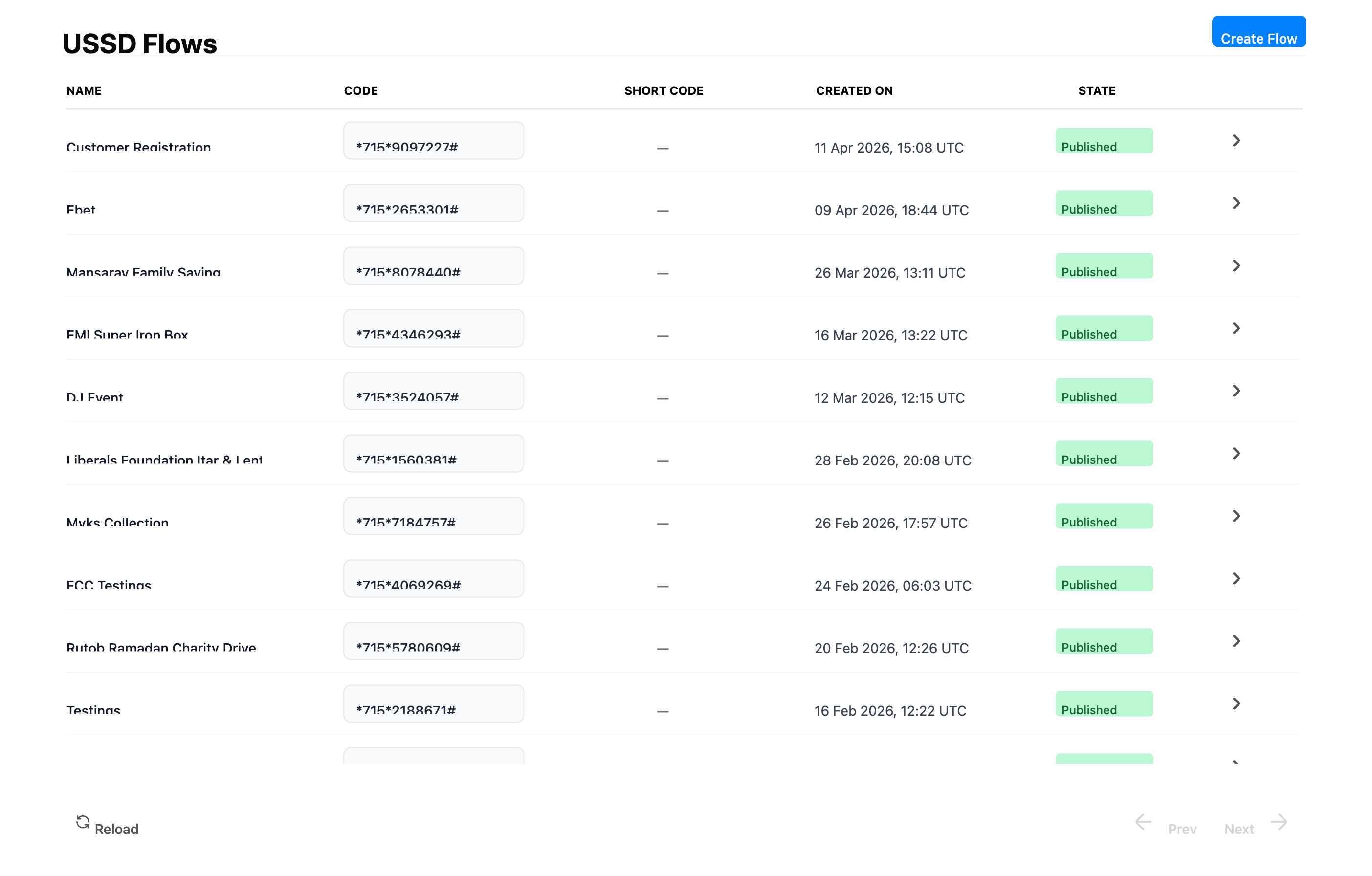
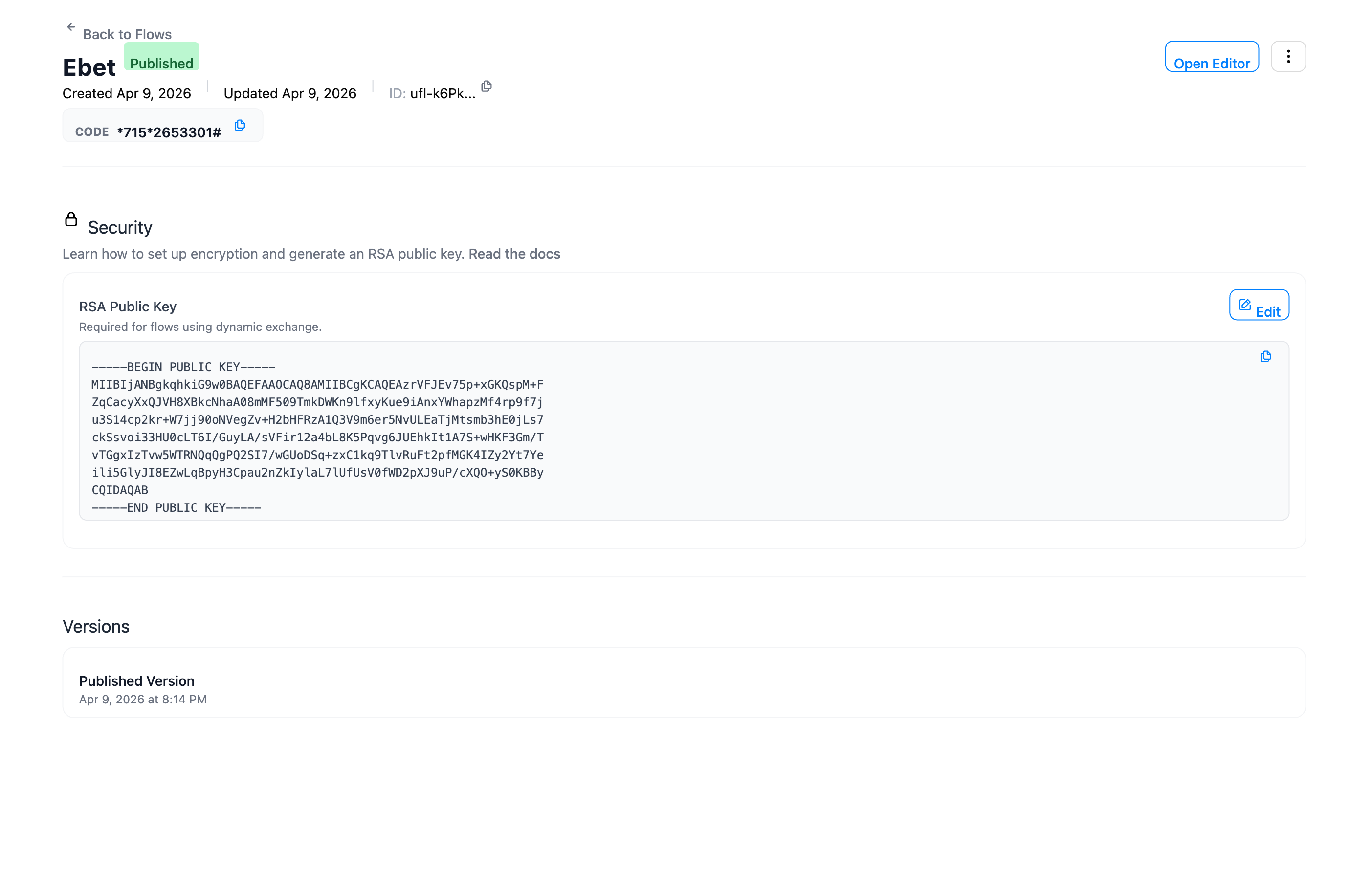
Each flow gets its own Code when you create it, a 7-digit USSD code such as *715*1234567#. Callers dial it to reach your flow. You can't choose it.
You can also ask for a Short Code, such as *715*600#, which is easier to remember. Short codes aren't given out automatically. Email Monime support with the flow you want it for.
Both codes appear on the flow list and on the flow's page.
Access
Flows belong to a Space. People who can use the Developer section of that Space can create and manage its flows. There is nothing to set up with the mobile networks: publish the flow and it answers on its code.