

Products · USSD Flows
Flow Security
Add an RSA public key to a USSD flow so the data it sends to your server is encrypted.
When a flow calls your server, it sends the caller's answers and session details. Monime encrypts each request with a public key you add to the flow, so only your server, which holds the matching private key, can read it. Your server's reply must be encrypted too. Developers can read how this works in the Encryption Model.
When You Need a Key
You need a key if any page in the flow calls your server:
- a page with
on_doneaction"exchange", or - a
dynamicpage.
Flows that never call your server don't need a key.
If the flow needs a key and has none, you can't publish it. The Security section on the flow's page shows Action required.
Adding Your Public Key
Make a key pair
Your developer makes a 2048-bit RSA key pair, as shown in Key Setup. Monime only accepts 2048-bit keys. Use a different pair for your test and live flows.
Open the Security section
Open the flow's page and find Security. It appears once you've saved a draft that calls your server.
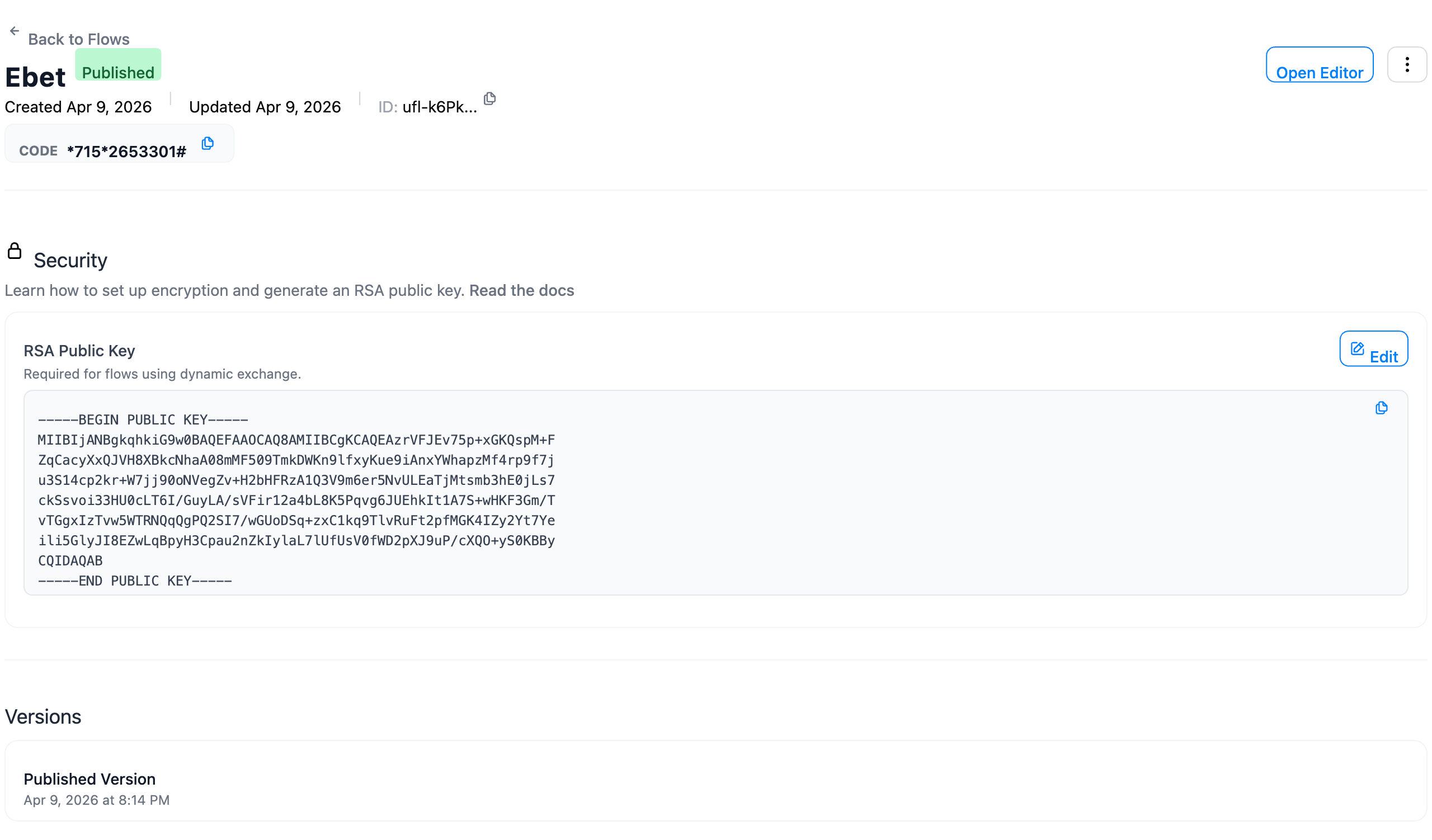
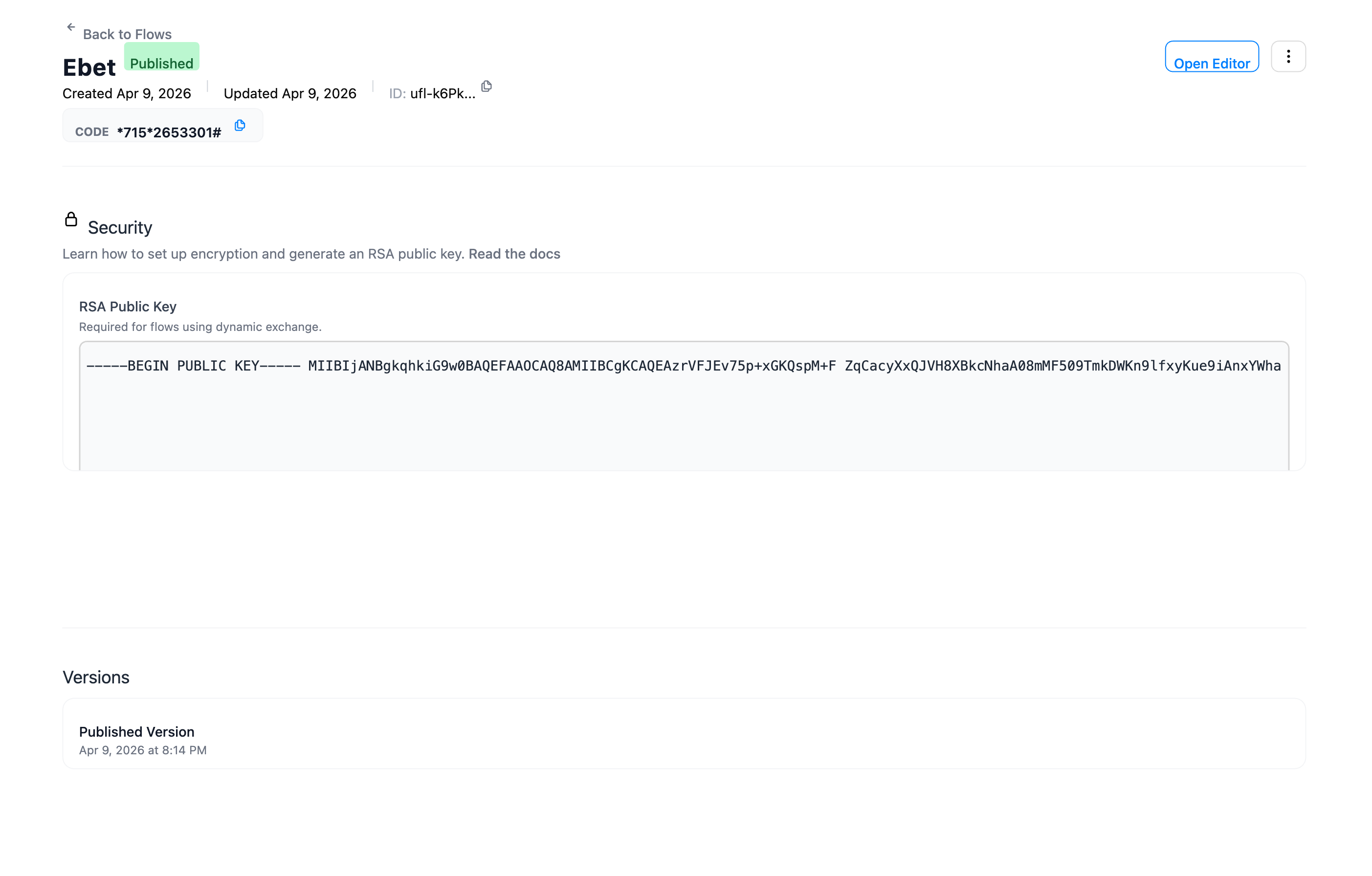
Paste and save the public key
Click Add Key, or Edit if there is a key already. Paste the whole public key, including the -----BEGIN PUBLIC KEY----- and -----END PUBLIC KEY----- lines. Click Save Key.
Publish
Action required goes away and you can publish the flow.
One Key per Flow
Each flow has one public key. It covers every page in that flow that calls your server, so you don't need a key per URL.
Changing the Key
Monime starts using a new public key as soon as you save it. To change keys without breaking live sessions:
- Set up your server to accept both the old and the new private key.
- Paste the new public key and save.
- Remove the old private key from your server.