

Products · Components
Text
Text, from a large amount or a title down to a caption.
Use one Text for each line or paragraph. To style part of a line, put a Text inside another.
Children: Text, which can include Text, Link and Icon within a line · Inline: can sit within a line of text, inside a Text
Example

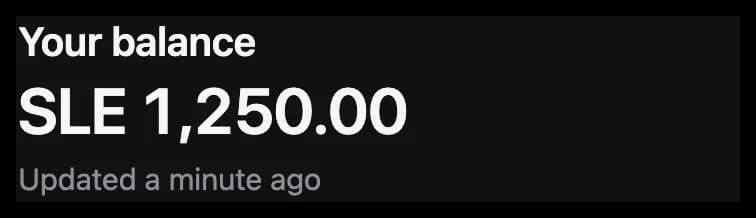
<View gap="small">
  <Text variant="title">Your balance</Text>
  <Text variant="display" numeric>SLE 1,250.00</Text>
  <Text tone="muted">Updated a minute ago</Text>
</View>
Props
| Prop | Type | What it is |
|---|---|---|
variant | display, title, subtitle, lead, body, caption | display is for large amounts, such as a balance. lead is an article's opening paragraph. Default: body. |
tone | text tone, or a custom color | |
weight | regular, medium, bold | |
align | start, center, end | |
maxLines | number | Cuts the text off with an ellipsis after this many lines. |
decoration | none, underline, strikethrough | strikethrough shows a price that no longer applies. |
numeric | boolean | Gives every digit the same width, so amounts line up in a list. |
leading | tight, normal, relaxed | The space between lines, closer or wider than the variant's own. |
italic | boolean | |
selectable | boolean | Lets the person select the text and copy it, such as a passage of an article. |
padding, paddingTop, paddingStart, paddingEnd, paddingBottom | spacing | Space inside its edges, all round or on one side. |
Events
None.